
PentoMind - Pentomino Puzzles
Released 7/4/2009First seen 27d agoLast fetched 17d ago
Latest Snapshot
Apple App StoreUS · 2026-08-15
Score
4.86
Ratings
35
Reviews
-
Version
3.4
Lifetime
Rank history · 30d
App Storebest rank per day, all markets
Media
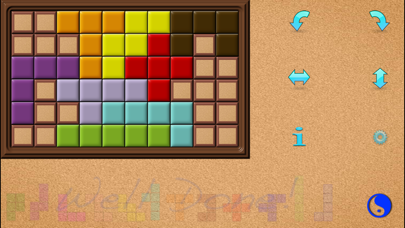
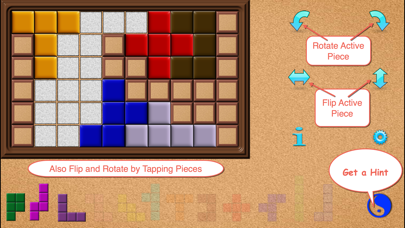
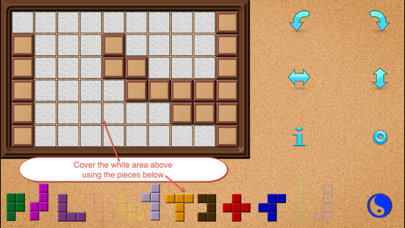
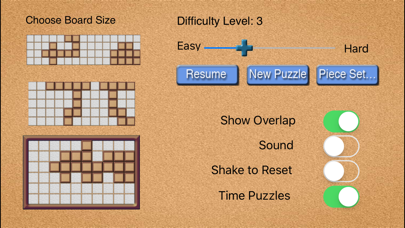
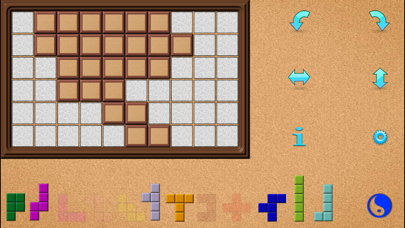
Screenshots from the App Store.
About
Previously featured on Apple's What's Hot in Board Games for over three months and also in What's Hot in Puzzles. "Pentos app is educational and addicting… the gameplay in Pentos is solid, self-explanatory, and definitely engaging. You can play some easy ones while standing in line at the DMV, or...you may want to up the difficulty to help keep your mind strong and lively!" Sara Haley, examiner.com You have to see it to believe it. Relaxing, yet challenging. • Smooth animated piece movement, with rotation and flipping (in 3D). • Thousands of puzzles! • Choice of board and difficulty level. • Hints for all puzzles. • Option to time puzzles. • All settings preserved if you quit the app; timing even resumes when you return. • Shake to reset a puzzle; shake again to undo the reset. The puzzle consists of a rectangular checkerboard and twelve pieces called pentominoes. These pieces represent all the possible ways to arrange five unit squares together so that their edges align. Your objective is to cover the board using the pentominoes. After you choose a board size and difficulty level, PentoMind will generate an appropriate new puzzle for you to solve. Your job is then to place the pieces at teh bottom of the screen so that each white square of the board is covered by some pentomino. You may choose to have your games timed. Then you can replay the same puzzle with a friend to see who can solve it the fastest. If you quit PentoMind during a timed game (or if you’re interrupted by a phone call), then the timing for the puzzle will resume the next time you start PentoMind. Some puzzles may have more than one solution, in fact if you start with an empty board there may be hundreds or even thousands of possible solutions. The sole exception to this is the smallest board which has only a few solutions. The pieces you may use are initially shown at the bottom of the screen, and you simply touch a piece to drag it onto the board. When you touch a piece, it will grow to a size that fits the dimensions of the squares on the board. You may rotate a piece by tapping it, or you may flip it (in 3D) by double-tapping it. Alternatively, you may use buttons provided to rotate and flip the currently active piece. All piece movements are realistically animated. PentoMind is geared towards ease of use and playability. Pieces are not allowed to overlap; should an overlap occur, a star icon will appear above one of the overlaps. To return a piece to its original spot at the bottom of the display, simply drag it down off the board. You may reset a puzzle by shaking your iPhone/iPod, and if you shake it again before moving another piece but after a pause, the pieces will return to where you had them.


